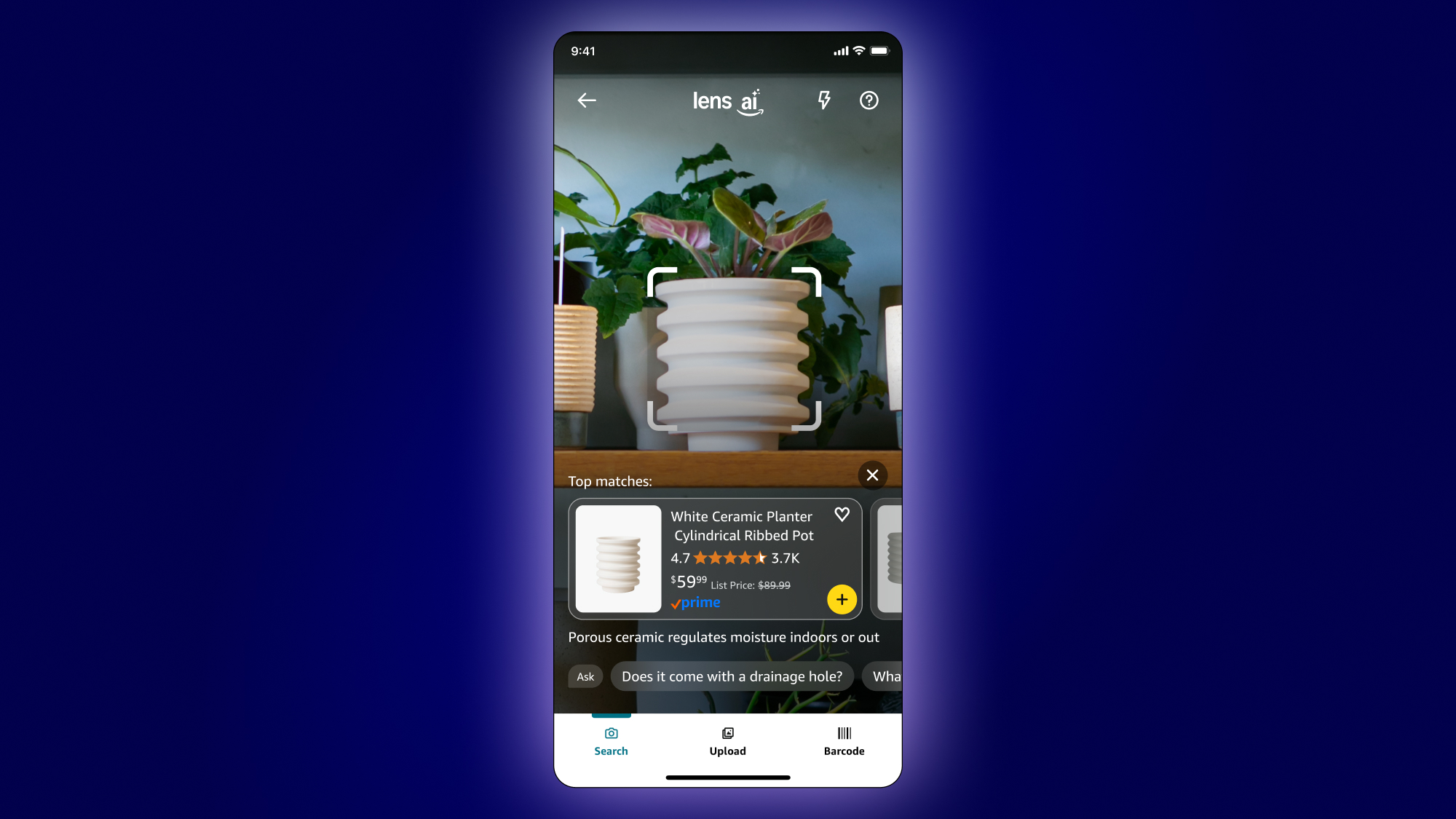
Amazon Lens
From auto search to user initiated
The first big design update of the product I was in charge of not long after joining was to change the search from starting automatically after launch to starting only after the user taps the button on the UI.
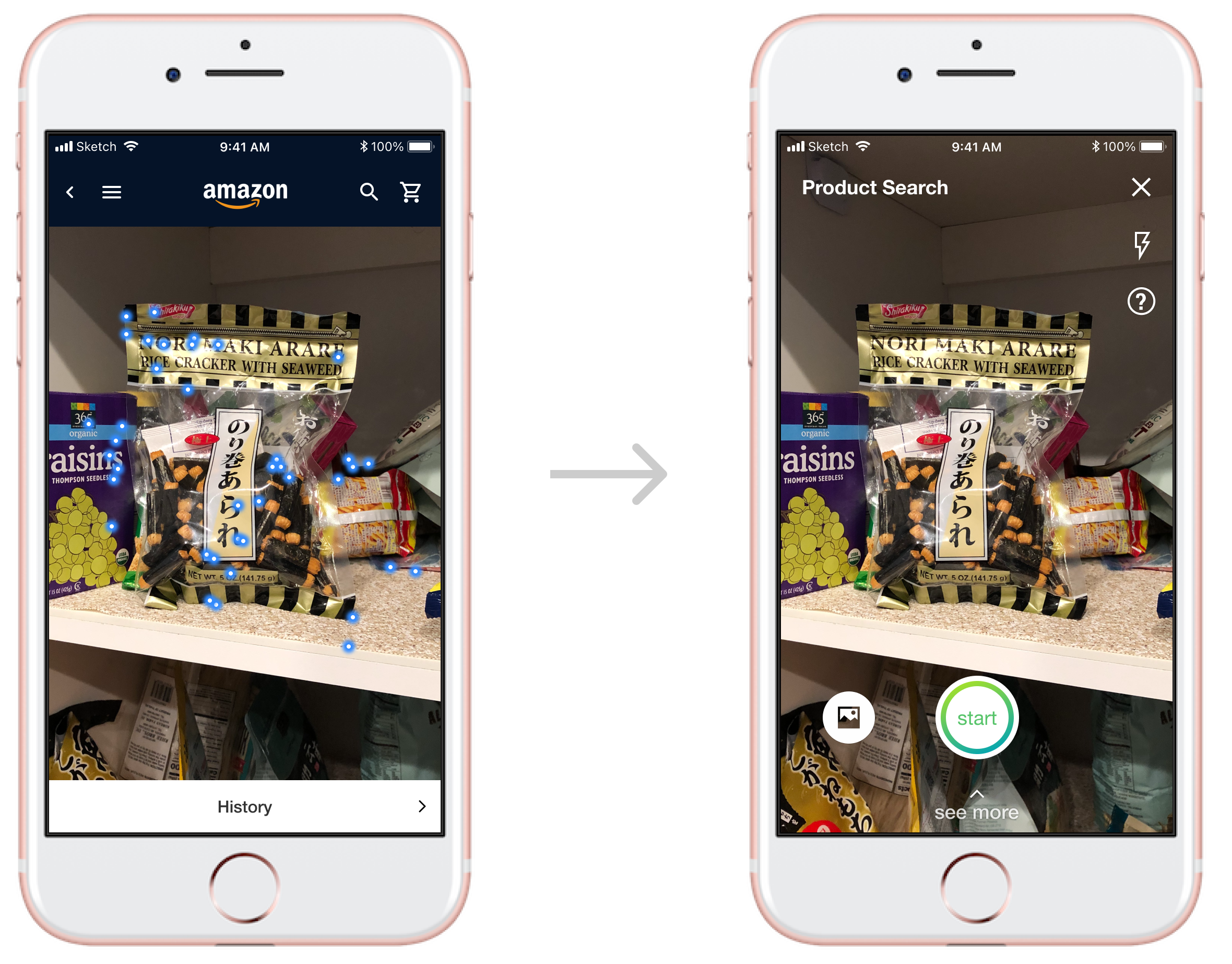
The experience of starting automatically was more magical and had less friction. However, at that time users were not familiar with the concept of searching with a live camera. As a result, we got a lot of search requests for pants, shoes, and rugs because users launched the feature with their camera still facing down, and our model already stopped to present them search results before they even had the chance to point the camera at the product they wanted.
We had a big debate internally, and a round of A/B tests with 4 options. Eventually we settled on tapping a button to start searching and then letting the model decide when it had a good enough result to stop and present. Immediately we saw search queries about shoes, pants, and rugs drop, and fewer bounces (try again) for the remaining queries in those categories.
Nondeterministic Output: Tags
In addition to image matching algorithms, the team developed a new model that could return text describing the captured scene. The nondeterministic nature of the model means that it outputs words it thinks best represent the scene in the order of descending confidence scores.
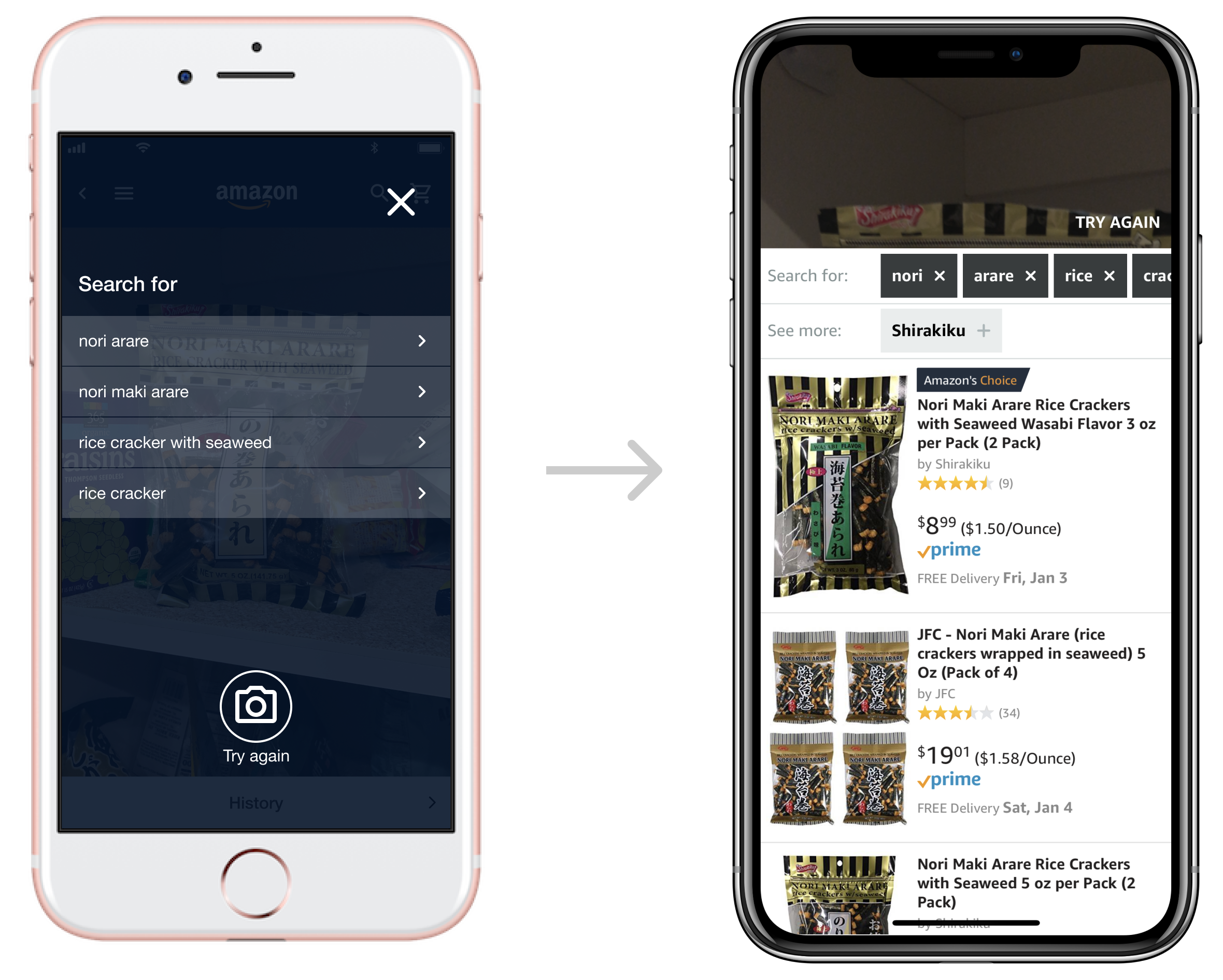
I convinced the team to take full advantage of this new capability by exposing the rest of the low confidence words the model generated. I created a new design that turns all words into selectable tags so users can modify the model output easily to get the search result they want.
Nondeterministic Output: Longtail Cases
Another nondeterministic nature of this product experience is that it has a long tail of cases when the model won't be able to provide good results, or any result at all. This could be a cluttered scene, an empty scene, or just a very weird angle of an object.
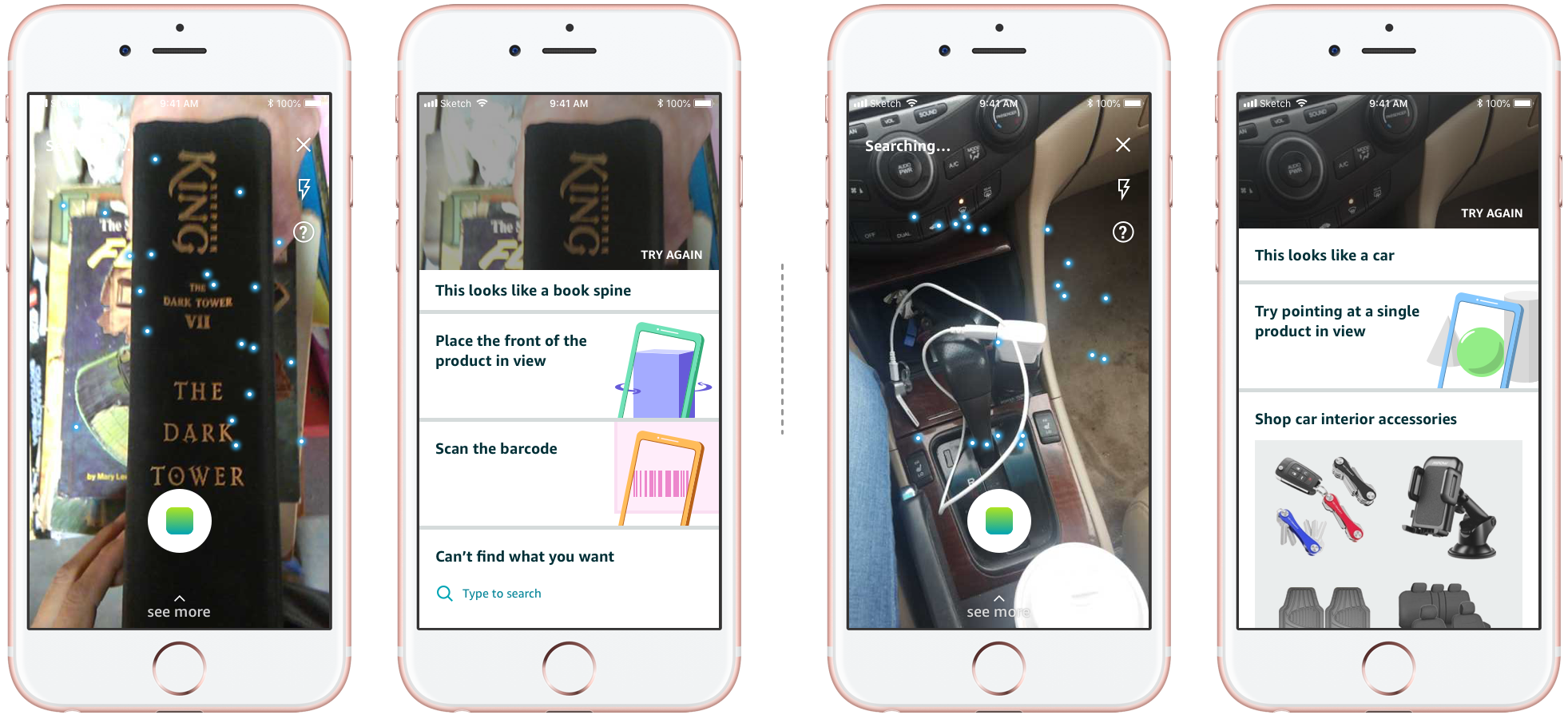
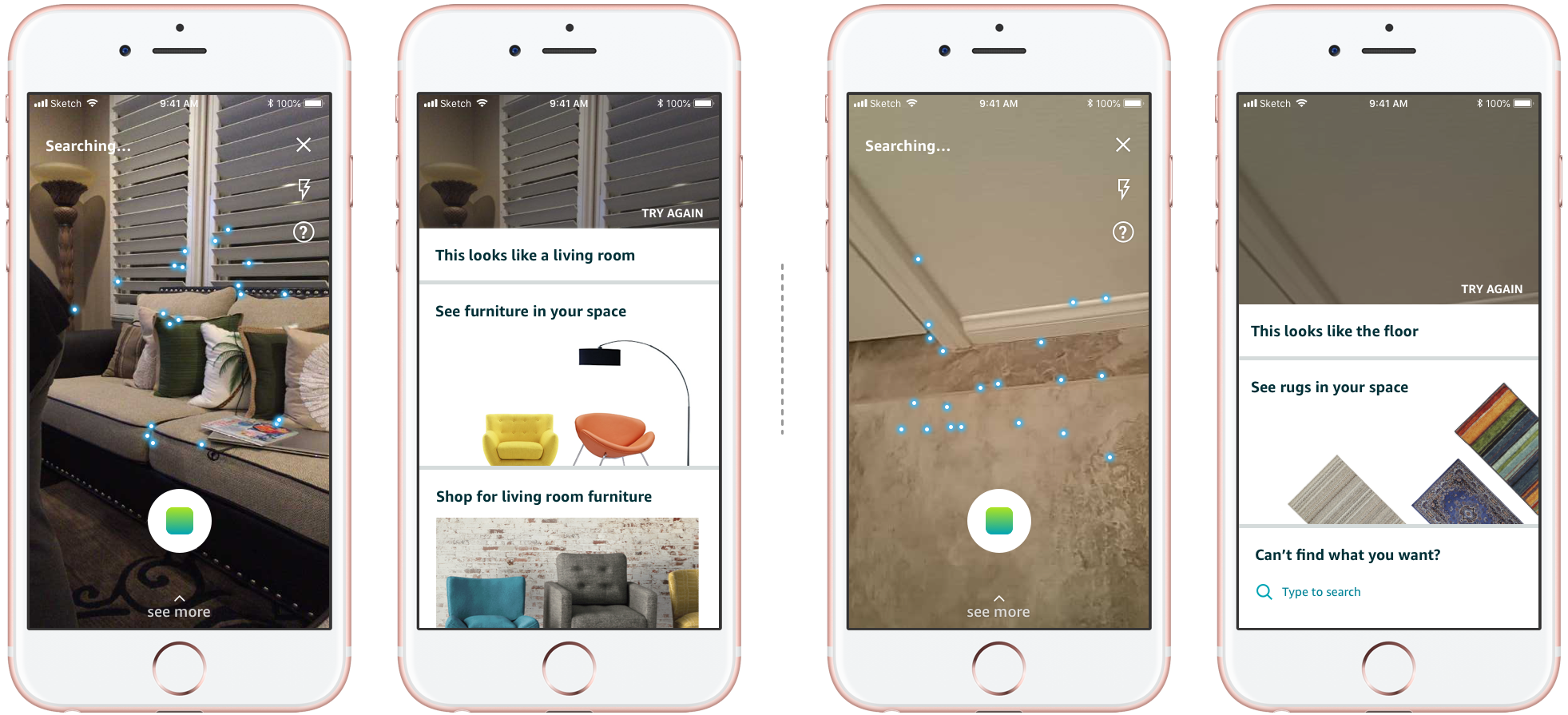
I designed a set of cards based on how we cluster these longtail cases, aiming at redirecting users out of them. The app can pick and choose what cards are suitable given the scene. The goal is that as people keep using the product, the cluster will evolve, and we can keep building on the library of cards. This shows that we understand users' intent, while at the same time, giving them the flexibility to select what they want.
Style Snap
In 2018, we wanted to repurpose the upload photo experience to focus on fashion because the data showed a lot of the photos uploaded featured some kind of fashion garments. Continuing to copy the experience flow from live camera search made less sense from then on because screenshots of fashion garments often include an entire outfit made up of multiple pieces.
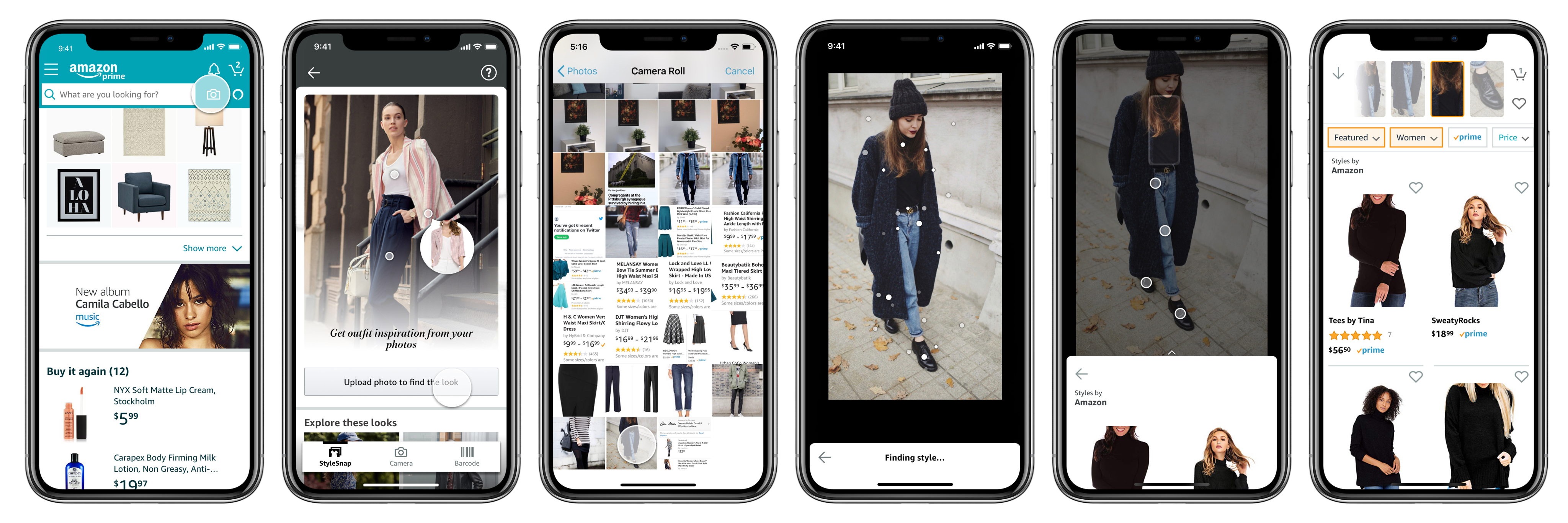
Therefore I completely reimagined the experience by enabling users to select a garment of focus on the photo itself. The new design pioneered this initiative way of communicating and disambiguating intent and set the expectation up front about what item the model can recognize from the provided photo.
Back to auto search
Recently, the visual search team made another iteration of the product to bring back the auto search. The action button now snaps a photo, stops the search, and presents the results instead of starting the search and letting the model decide when to stop.
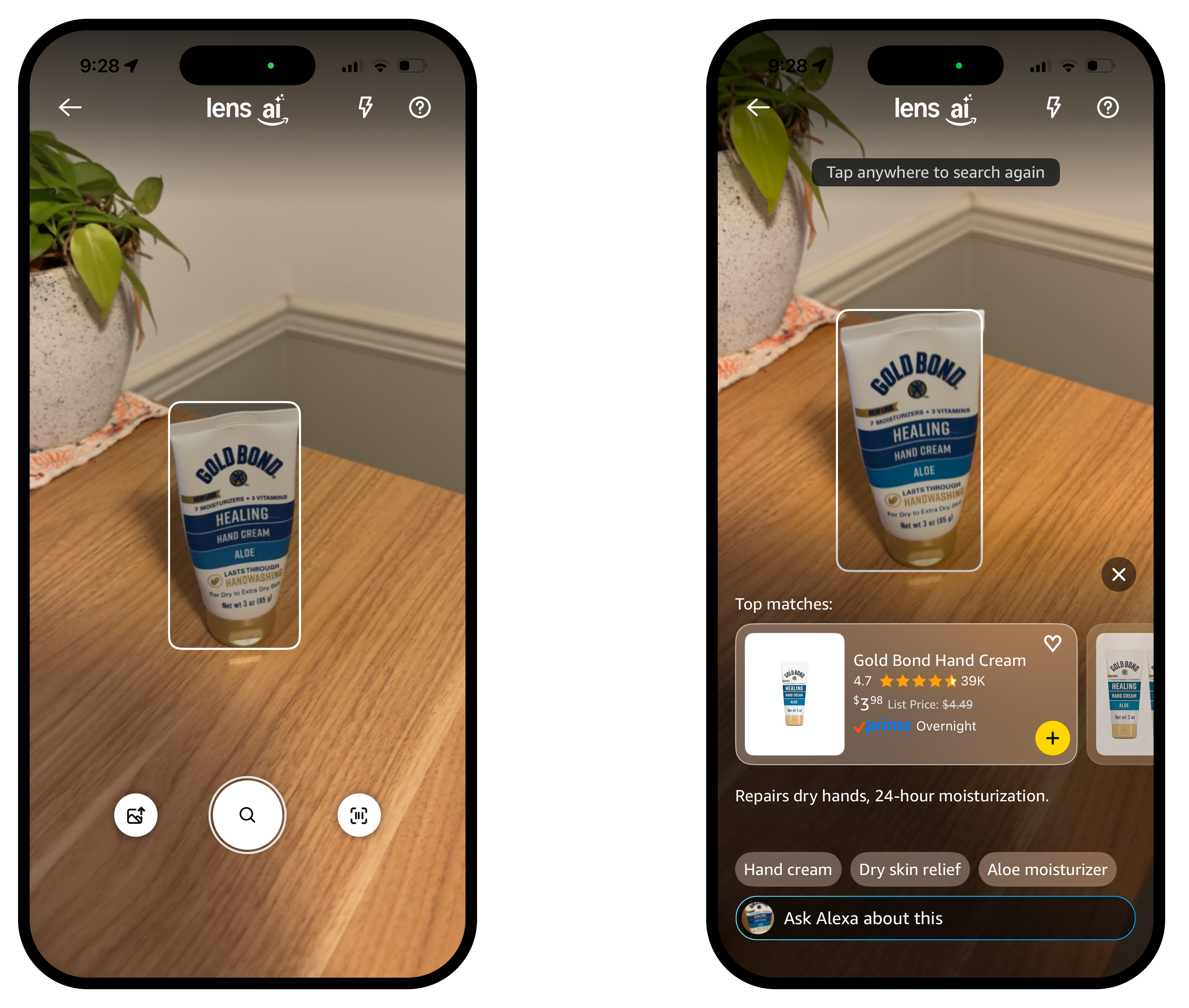
Since this update happened after I left, I only have a hypothesis: people are more familiar with the concept of using cameras and photos to search. The gatekeeper we put in a couple years ago to ensure good results for the first try now only adds friction. With the advancement in AI, it is much easier to recognize objects even with poor framing. And the team can integrate with an LLM to catch all longtail cases and let users further clarify their intent.